

Description
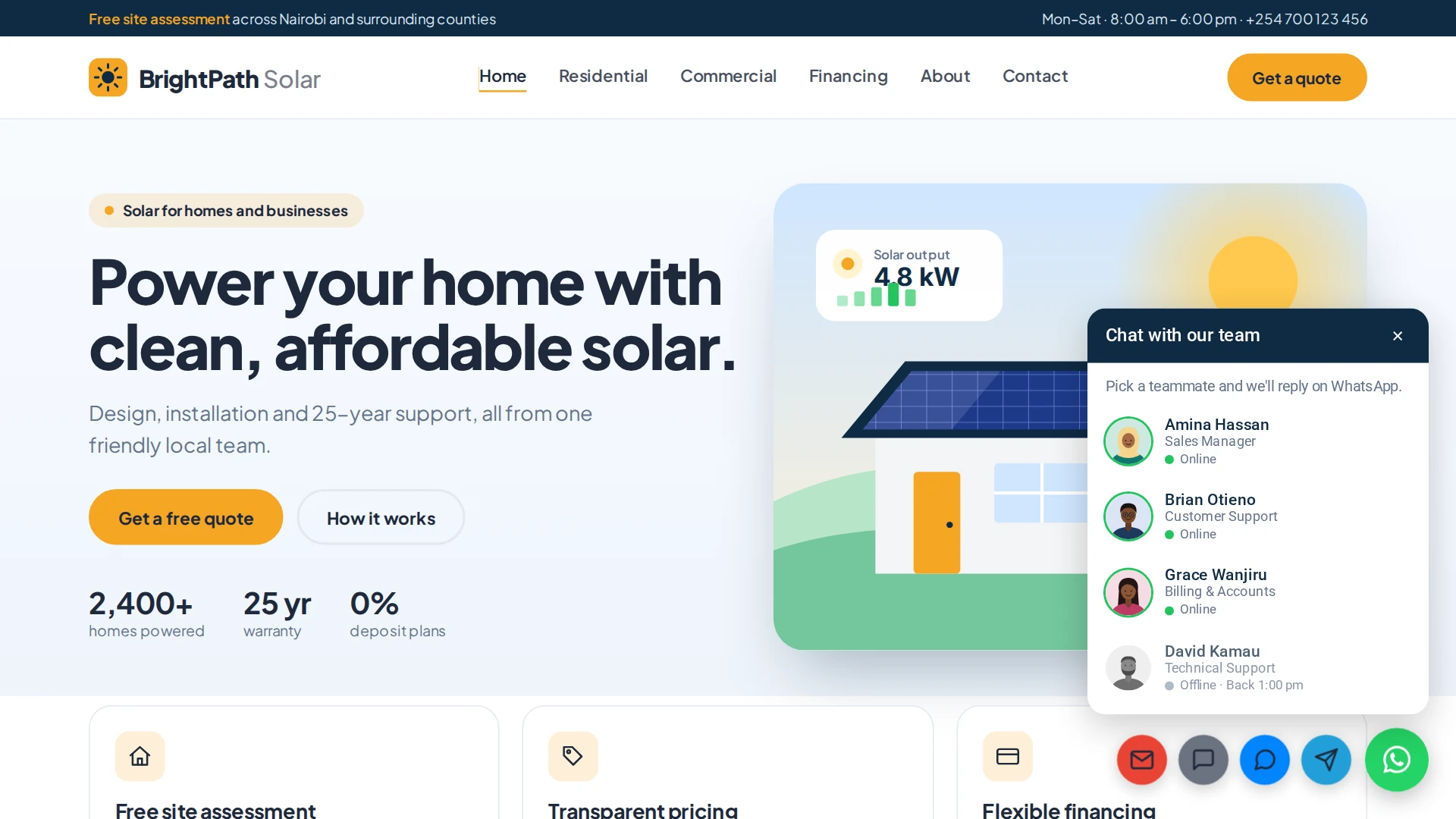
Your visitors have questions. Make it effortless for them to ask.
Most people won’t fill in a contact form and wait for a reply. They want to tap a button and talk to a real person, right now, in an app they already use.
The free Chat Nasi plugin gives you the WhatsApp button. Chat Nasi Pro turns it into a complete customer conversation tool: a team panel that shows who is online, a form that captures every lead, extra channels for visitors who prefer something other than WhatsApp, and a dashboard that keeps every enquiry safe.
Works as an add-on to the free Chat Nasi plugin. One license key activates one website.
Everything you need to turn visitors into conversations
Show who is online before anyone clicks
Nothing frustrates a visitor like messaging someone who is asleep. With per-agent availability, they see exactly who can reply right now.
- A green dot for online, grey for offline, with a friendly “Back Mon 8:00 am” when someone returns.
- Custom weekly hours and a timezone for every team member.
- Follow your business hours, or set an agent to always online.
- The floating button turns grey by itself when nobody is available.
Status is worked out in the visitor’s browser, so it stays accurate even on websites that use full-page caching.
Make it look like your brand
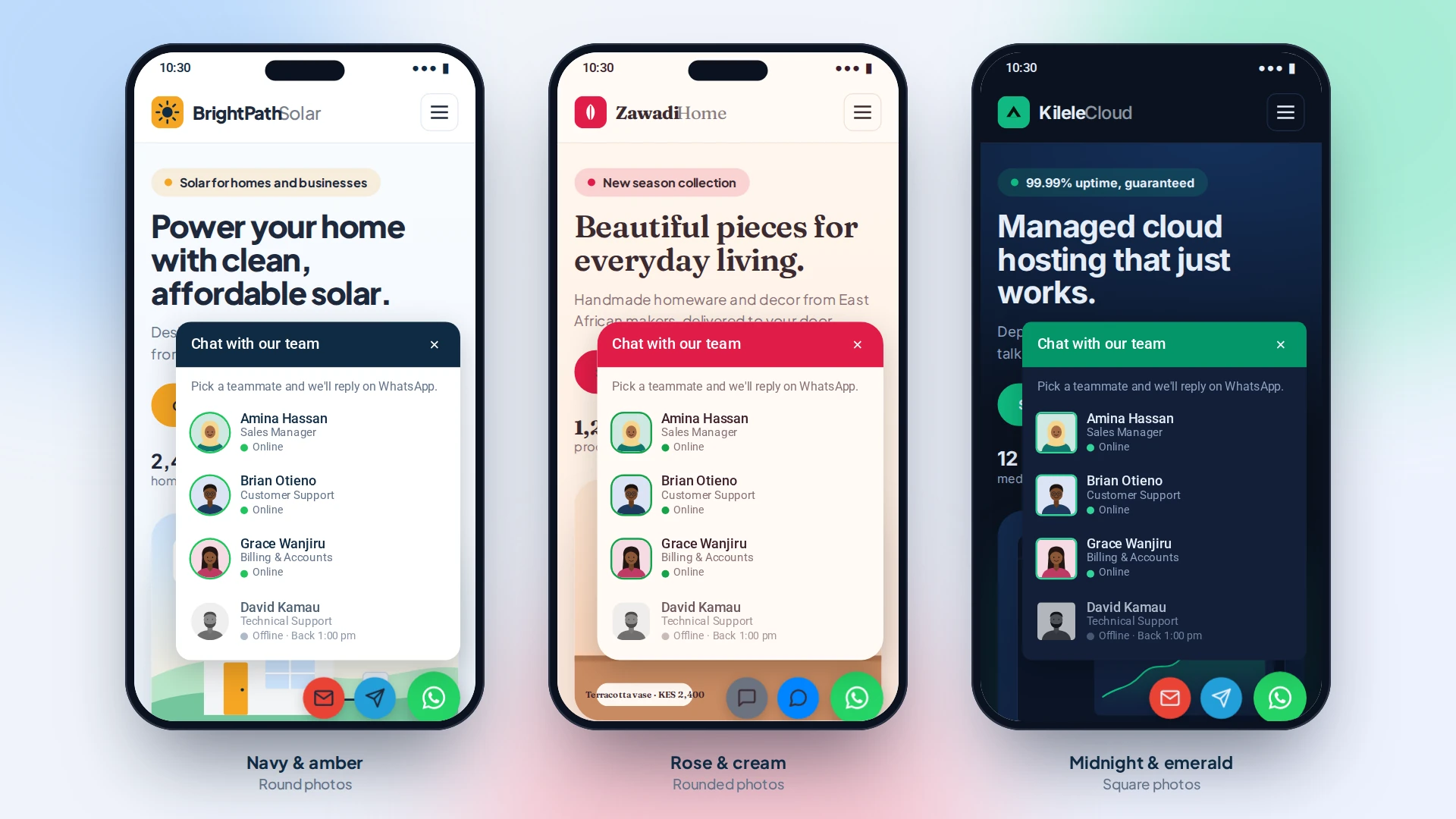
Your chat box should feel like a natural part of your website. Change the colours, corners, width and photo shapes, and watch the live preview update as you go.
- Colours for the header, text, panel, hover, buttons, and online and offline status.
- Adjustable corner radius and chat panel width.
- Circle, rounded or square team photos.
- Your own panel title and welcome text.
Speak your visitors’ language
Serve every visitor in the language they browse in. Agent names, job titles, prefilled messages, tooltips, welcome and offline messages, status labels and form text are all ready to translate.
It works with WPML and Polylang, and you can show an agent only on the languages they speak.
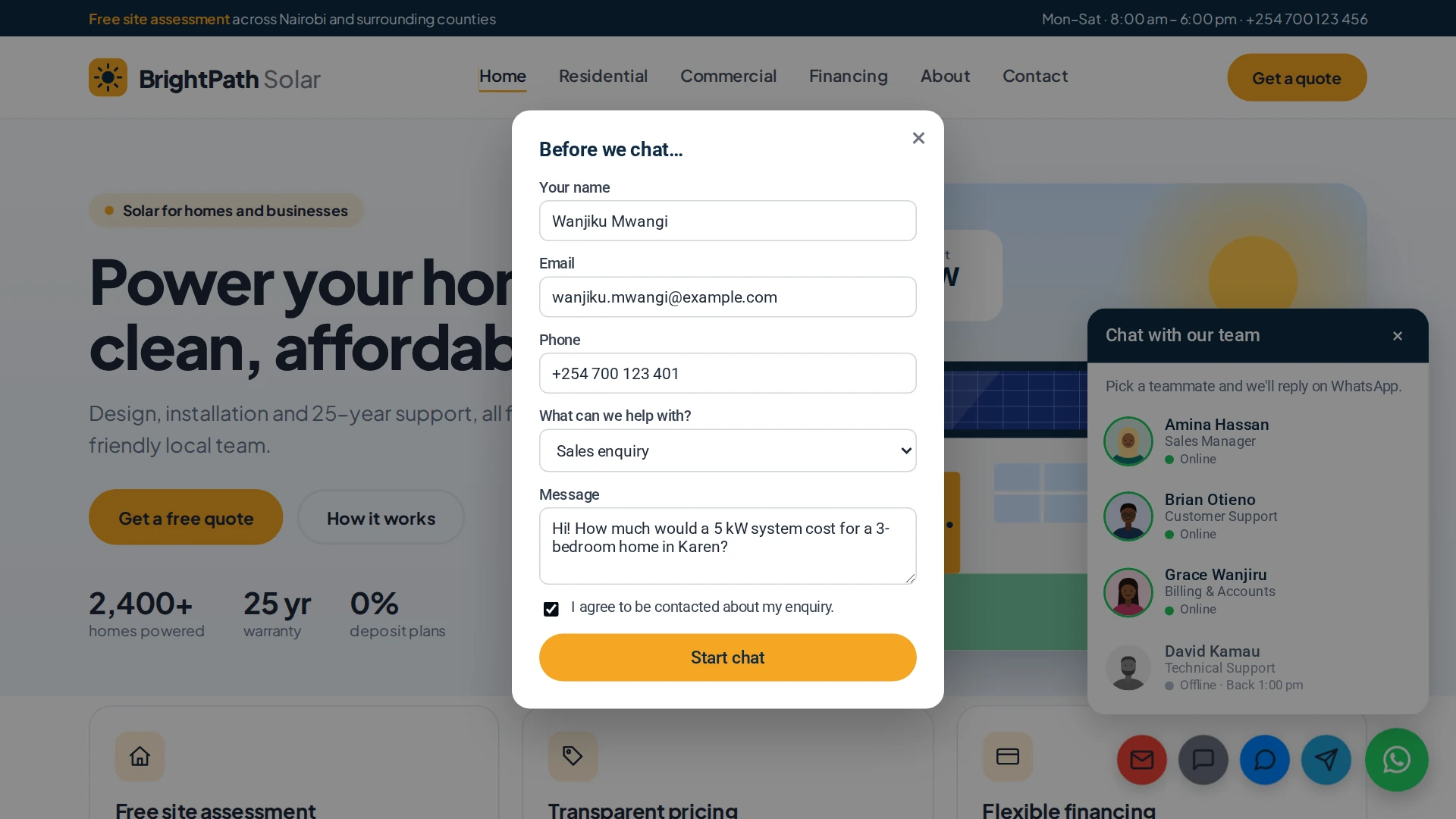
Capture the lead before the chat begins
A conversation that moves to WhatsApp shouldn’t mean losing track of who started it. Ask for a few details first, and every submission is saved to your dashboard.
- Name, email address, phone number, topic and message.
- An optional GDPR consent checkbox.
- Built-in spam protection with a honeypot and rate limiting.
Meet customers on their favourite channel
Not everyone lives in WhatsApp. Add a small round button for Telegram, Messenger, SMS and Email beside it, and let each visitor pick what suits them.
Every enquiry, organised and ready for follow-up
Manage what you collect without leaving WordPress.
- Browse captured leads, page by page.
- Delete records you no longer need.
- Export everything to CSV.
- Get an email the moment a new lead arrives.
- Send leads to Zapier, Make or your CRM with signed HMAC-SHA256 webhooks.
Put a chat button anywhere
Place the chat box or a single button on any page, post, widget or page-builder block. Choose the agents, alignment and label. It works with or without the floating button.



Built for businesses that live on conversations
Small businesses
Let customers reach you the way they already message their friends.
Agencies and freelancers
Add a polished chat experience to client websites and match it to each brand.
Online stores
Answer product questions while the shopper is still on the page.
Service providers
Turn “I have a question” into a booked job.
Customer support teams
Show who is available and when, so visitors always know what to expect.
Why choose Chat Nasi Pro?
Made for WordPress
It is an add-on to the free Chat Nasi plugin and never edits the free plugin’s files.
Yours to configure
Change the look, availability, placement and channels until it fits your business.
Leads you can act on
Collect the right details and manage them from your WordPress dashboard.
Updates that don’t get in each other’s way
The free and Pro plugins update independently.
A guide you can follow
Every setting is explained step by step in the Chat Nasi Pro documentation.
How it works
Step 1: Install Chat Nasi
Install and activate the free Chat Nasi WordPress plugin.
Step 2: Install Chat Nasi Pro
Upload the Pro add-on to your website.
Step 3: Activate your license
Enter the license key you received when you bought Chat Nasi Pro.
Step 4: Set it up
Choose your agents’ hours, pick your colours, and switch on the channels and lead form you want. The documentation walks you through each tab.
Step 5: Start conversations
Your visitors can now see who is online and reach you the way they prefer.
Free vs Pro
Start with the free plugin. Upgrade when you want your chat to do more.
| Feature | Free | Pro |
|---|---|---|
| Floating WhatsApp button | ✔ | ✔ |
| Multiple agents | ✔ | ✔ |
| Business hours | ✔ | ✔ |
| Click analytics | ✔ | ✔ |
| Per-agent availability | — | ✔ |
| Advanced colour customisation | — | ✔ |
| Multilingual support | — | ✔ |
| Telegram, Messenger, SMS and email buttons | — | ✔ |
| Pre-chat lead capture | — | ✔ |
| Lead management dashboard | — | ✔ |
| CSV export | — | ✔ |
| Email notifications | — | ✔ |
| Signed webhooks | — | ✔ |
| Chat shortcodes | — | ✔ |
Want to look under the hood first?
The full documentation covers installation, licensing, every setting, shortcodes, translations, webhooks and troubleshooting, with screenshots.
Read the Chat Nasi Pro documentation
Frequently asked questions
What is Chat Nasi Pro?
Chat Nasi Pro is a premium add-on for the free Chat Nasi WordPress plugin. It adds team availability, chat customisation, lead capture, extra communication channels and shortcodes.
Do I need the free Chat Nasi plugin?
Yes. Chat Nasi Pro needs the free Chat Nasi plugin to be installed and active.
Do I need a WhatsApp Business account?
No. Chat Nasi works with any WhatsApp-enabled phone number.
Can I show several team members?
Yes. Add your team in the free Chat Nasi plugin (names, job titles, photos and numbers), then set each person’s availability in Chat Nasi Pro.
Does it work on multilingual websites?
Yes. Chat Nasi Pro supports WPML and Polylang, and every visitor-facing text can be translated.
Does it work with page caching?
Yes. Online and offline status is calculated in the visitor’s browser, so it stays correct on websites that use full-page caching.
Can I capture leads before a visitor starts chatting?
Yes. Turn on the pre-chat form and choose from name, email, phone number, topic, message and GDPR consent.
Can I use one license on several websites?
Each license key works on one website at a time. If you move your site, deactivate the license first, then activate the same key on the new site.
Where can I find setup instructions?
In the Chat Nasi Pro documentation.
Is Chat Nasi Pro available on WordPress.org?
No. Chat Nasi Pro is sold separately and is not distributed through WordPress.org.
Ready to turn more visitors into conversations?
Give your website a chat experience that shows who is online, captures every lead and reaches customers on the channels they prefer.
Additional information
| License Type | Annual, Lifetime |
|---|